
AI for Authors: How to Draft Your First Book Chapter Without Losing Your Voice

A plain-English guide to how to write a book with AI: starting with one chapter, one sample, and one careful edit at a time.
Affiliate disclosure: Some links in this article are affiliate links. If you buy or subscribe through one, Clanker Cart may earn a commission at no extra cost to you. That support helps keep our testing bench running. It does not buy a better rating, and we call out the grit in the gears when we find it. You can read our full affiliate disclosure and shop policy.
Writing a book can feel like walking into a workshop with a pile of lumber, three unfamiliar saws, and no instruction manual.
AI can help. But it should not grab the pen, slap its name on the cover, and send you home with a book that sounds like everybody else.
The safest way to use AI for authors is to treat it as a helpful bench assistant. You bring the stories, opinions, examples, humor, and hard-earned knowledge. The tool helps you shape a chapter, spot a weak joint, or get a stubborn paragraph moving.
We have seen this workflow work in the real world, including during the making of AI Created This. The practical lesson is simple: the more responsibility you hand over wholesale, the more likely your voice gets sanded smooth.
Here is the beginner-friendly setup we recommend.
The short answer: start with Lex
If you want the best AI for writing a book without handing over the steering wheel, start with Lex.
★ Start Here Pick: Lex
Best for: Authors who want help drafting and improving a chapter while keeping control of the actual writing.
Our score: 4.4/5
Lex is an author-friendly word processor with AI editing built into the writing surface. You type normally, then ask for feedback, ideas, alternate wording, or help getting unstuck.
It behaves more like a thoughtful editor leaning over the bench than a ghostwriter hiding behind the curtain.
That makes it one of the strongest writing tools on our shelf and the easiest practical option for most first-time authors. You can write a paragraph in your own words, ask Lex to help strengthen it, and decide what survives the inspection.
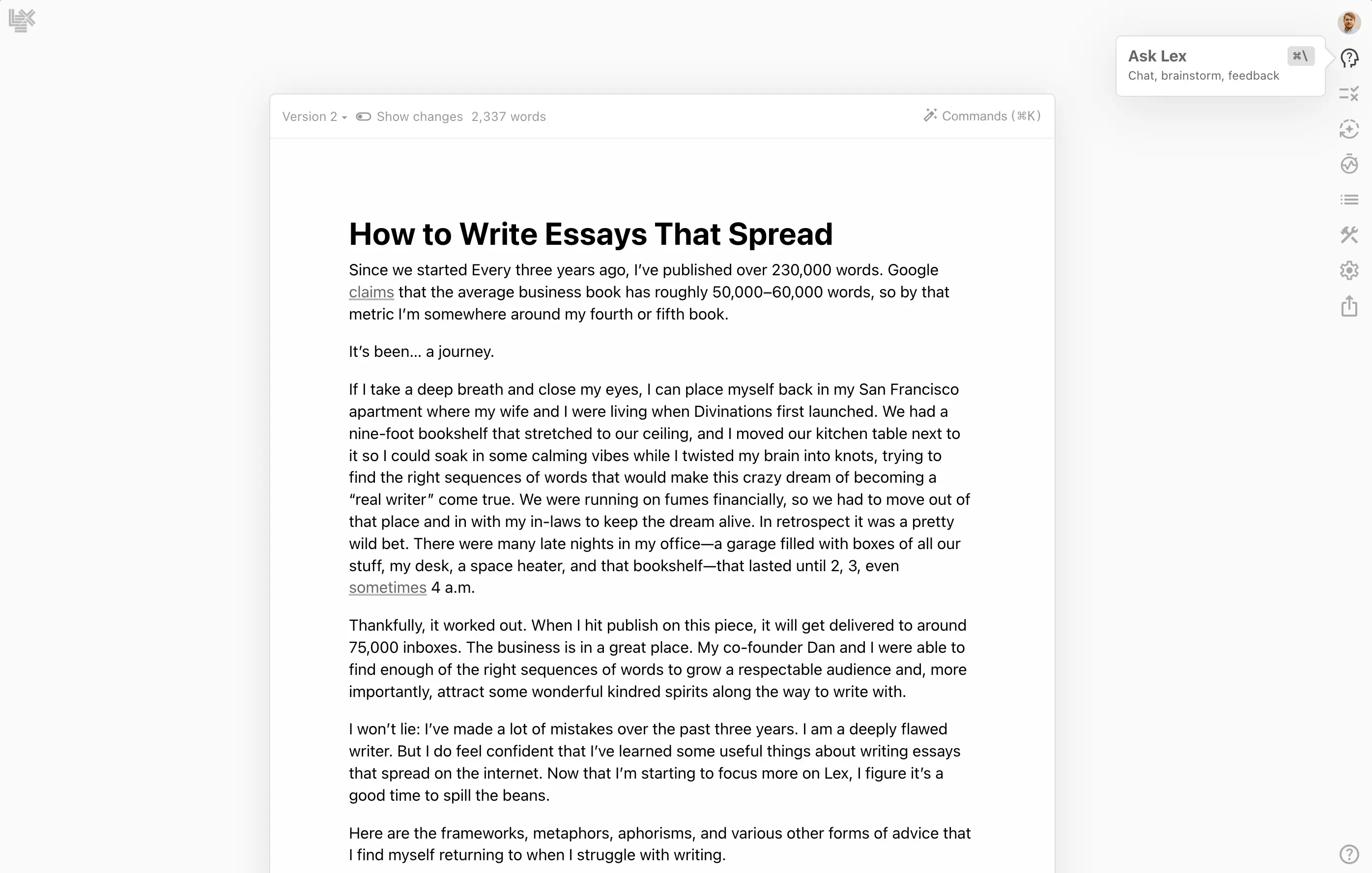
What Lex does well:
- Keeps you inside a clean, familiar writing space.
- Offers feedback, brainstorming, rewriting, and title ideas.
- Lets you explore alternate versions without throwing away the original.
- Helps reduce the fear of the blank page.
- Works well for individual chapters, essays, newsletters, and book sections.
What it does not do well:
- It nudges rather than ghosts. If you want a complete manuscript generated while you drink coffee, this is not that machine.
- It is not a book-length project manager with a giant chapter dashboard and continuity control.
- Uploading oversized documents or a full book manuscript can hit a strict file-size ceiling, which means longer projects are often easier to manage as separate chapter documents.
- The free tier is limited, and plans can change. Check Lex’s current pricing before committing.
Bench verdict: Lex is the reliable option for authors who want to become better, faster writers, not authors who want to disappear from the writing process.
The underdog shelf: FirstBook AI
If your main problem is not polishing a chapter but getting a nonfiction manuscript started, FirstBook AI is worth inspecting.
★ Rough Draft Runner: FirstBook AI
Best for: Business books, guides, practical nonfiction, and solo professionals turning expertise into a first manuscript.
FirstBook AI uses guided questions to help shape a book idea, build an outline, and generate a full draft. It is also less push-button than it first sounds: you need to provide a real writing sample plus 3–5 personal anecdotes before it generates anything, and it stops after each chapter so you can review before continuing. It also offers chapter organization and export options such as PDF and EPUB, depending on the current plan and product setup.
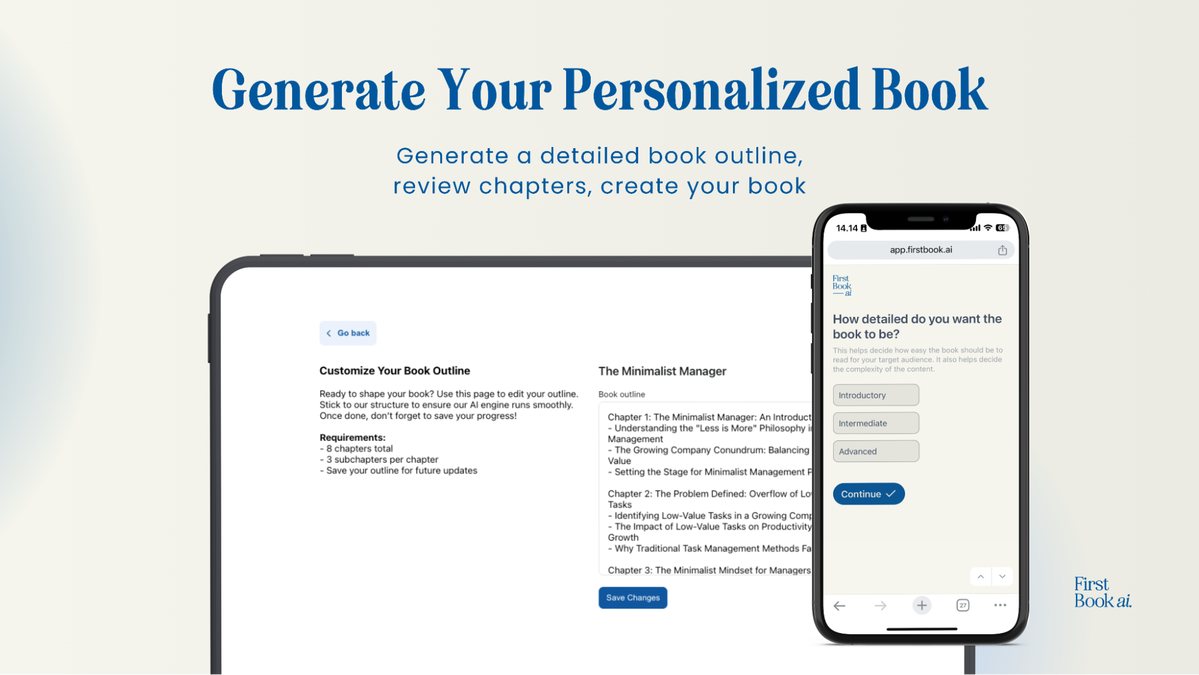
The AppSumo lifetime deal has historically ranged roughly from $49 to $619, depending on how many books per month a tier allows. Treat those numbers as a rough workbench label, not a permanent price tag. AppSumo tiers, availability, and limits move around.
What FirstBook AI does well:
- Gets you from idea to outline quickly.
- Uses guided questions, which is helpful if you do not know what information to provide.
- Creates a complete nonfiction manuscript draft rather than only offering sentence-level suggestions.
- Can be useful for entrepreneurs, consultants, coaches, and creators who want a book to support their work.
- Provides export options that can save time when moving into editing or publishing.
What needs repair:
- The generated writing can use repetitive phrasing.
- Customization is limited compared with writing everything yourself.
- The output needs a heavy editing pass for voice, detail, examples, and accuracy.
- It can produce confident-looking numbers and other specific-sounding claims without citations. In our inspection, a 39,700-word draft included zero sources anywhere, so fact-check before anything goes to print.
- English-only output may be a deal-breaker if you need another language.
- Some buyers have reported thin post-purchase support, so inspect the current support terms before buying.
- A lifetime deal is only useful if the product continues to fit your workflow.
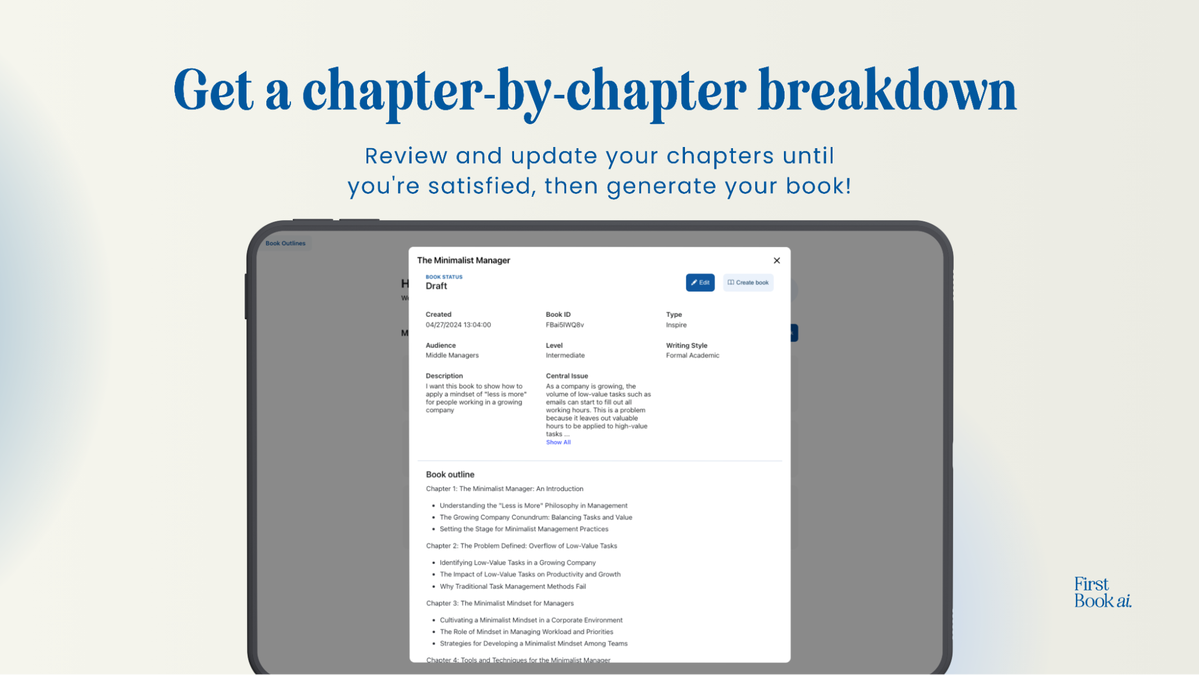
Bench verdict: FirstBook AI is handy for a rough first draft. Plan on a heavy editing pass. It can build the frame, but you still need to install the doors, check the wiring, and make sure the house sounds like you.
The four-step voice-preserving workflow
The best AI book writing tools work better when you give them a narrow job. Do not begin by asking for “a whole book about my experience.” That is how you get a shiny pile of generalities.
Instead, work on one chapter.
1. Pick the chapter with a clear job
Choose a chapter that has one purpose.
For example:
- Explain how you learned a difficult lesson.
- Teach a beginner how to complete one task.
- Introduce the main character and create a problem.
- Show why a common approach does not work.
- Give readers a practical system they can use today.
Write down the chapter’s job in one sentence. If you cannot explain what the chapter is for, the machine will have a hard time finding the right road.
2. Feed the tool your own writing sample
This is the most important step for keeping your voice.
Give the tool a sample of your own writing: perhaps 500 to 1,000 words from a newsletter, journal entry, blog post, email, or an earlier chapter. Choose something that sounds like you on a normal day, not something you wrote while trying to impress a professor.
Tell the tool what to notice:
- Sentence length.
- How formal or casual you sound.
- Whether you use humor.
- Words or phrases you naturally repeat.
- How you explain examples.
- Whether you prefer short punches or longer reflections.
If a tool has a sample-upload or style field, use it. If it does not, paste the sample into your instructions or keep it beside the draft and quote a representative passage.
A sample does not guarantee a perfect voice match. It simply gives the machine better lumber to work with.
3. Generate a small section, not a whole book
Ask for one section of the chapter at a time.
A useful instruction might look like this:
“Using the chapter purpose and my writing sample, draft 400 words covering these three points. Keep the language plain and conversational. Do not add facts, quotes, or personal experiences that I did not provide.”
The smaller the job, the easier it is to inspect.
With Lex, you might write the opening yourself and ask for three possible transitions. With FirstBook AI, you might use the guided process to produce the rough chapter, then move the draft to your editing bench.
4. Accept or reject sentence by sentence
Do not accept an entire AI passage just because most of it looks tidy.
Read each sentence and ask:
- Would I actually say this?
- Is this specific enough?
- Does it sound like my rhythm?
- Is the claim accurate?
- Does it move the chapter forward?
- Is it hiding behind a vague phrase such as “in today’s fast-paced world”?
Keep the useful sentence. Rewrite the stiff one. Throw away the paragraph that sounds like it was assembled by a committee of polite robots.
Then read the revised section out loud.
Your ear will catch problems your eyes glide past: repeated words, overstuffed sentences, fake enthusiasm, and phrases that technically work but do not sound like you.
What these tools do badly
Even the best AI writing assistants have a few loose bolts.
Flat, echoey phrasing
AI often reaches for safe language. Everything becomes “transformative,” “powerful,” “important,” or “a journey.” The result may be grammatically clean but emotionally flat.
Your fix: add specific memories, opinions, sensory details, and examples only you would know.
Invented facts and quotes
AI can confidently produce a statistic, source, historical detail, or quote that does not exist.
Your fix: verify every fact, number, citation, and quotation. If you cannot check it, remove it or label it clearly as an example.
Author bios built from old account details
Some tools may pull from information in an account profile or previous material. That can create a bio with an old job title, outdated company description, or claims you never intended to publish.
Your fix: write your own author bio in a separate document. Treat any tool-generated bio as a rough suggestion, not a finished label.
The illusion of a finished book
A generated manuscript is a starting point. You are responsible for the facts, originality, tone, structure, and final words.
AI can make a rough draft appear finished before it has earned that status. Do not let tidy formatting fool you.
Other options on the shelf
These tools may suit particular writers, and a couple have already been through our inspection bench.
- AIWriteBook: A book-generation tool we have inspected at 4.3/5 (86/100). It is more configurable than it first appears, with structure and chapter-template pickers, per-chapter model choice, an editable outline before generation, and complete front and back matter. Its catch: the prose trends toward the middle — competent and clean, but rarely eager to take creative risks — so it still needs a human finishing pass. One extra note from our inspection: its about-the-author feature can pull accurate personal details from an account profile populated during an earlier unrelated project, which is handy if intended and worth treating as a privacy note if not.
- Inkfluence AI: A tool we have inspected at 4.4/5 (87/100). Its main job is book launch and audience growth — turning a finished manuscript into newsletter sequences, social threads, and interview talking points. It also has a separate book-generator mode that can write a full book. The catch: that 4.4/5 score is for the manuscript-ingestion and marketing-asset side, while the generator mode is a rougher add-on that ignored instructions in our field test, defaulted to 8 chapters when fewer were requested with no setting to change the count, and put the author's real full name on the title page without it being supplied in the prompt, apparently pulled from account data.
- Sudowrite: A fiction-focused option with scene development and story tools. Our own review is still in progress, so there is no bench score yet. Treat this link as a way to look for yourself, not as a recommendation from us. Its catch: it is a better fit for fiction than practical nonfiction.
- Squibler: Built for structured book generation and fast manuscript drafts. Our own review is still in progress, so there is no bench score yet. Treat this link as a way to look for yourself, not as a recommendation from us. Its catch: speed can come with generic wording and a sizeable editing job.
If you are also researching AI tools for entrepreneurs, remember that a business book tool is not automatically the right tool for a novel, memoir, or literary project.
Our final inspection
For most first-time authors, Lex is the best place to start. It keeps your hands on the work, lowers the friction, and helps you make progress without flattening your personality.
Choose FirstBook AI when you want a fast nonfiction manuscript frame and are prepared to do serious editing afterward.
The winning formula is not “ask AI to write my book.”
It is:
Your idea → your writing sample → one chapter → small AI assist → sentence-by-sentence inspection → read it aloud.
That approach may take longer than pressing one giant generate button. It also gives you something much more valuable: a chapter that still belongs to you.
For more plain-English bench notes, browse The Shop Dispatch or inspect our Lex review and FirstBook review.
Written by Penny