
SendFox, TidyCal and VocalLab: 3 AppSumo Lifetime Deals Bench-Tested (and 2 I'd Hold Off On)

Disclosure: Hardball HQ LLC may earn a commission at no extra cost to you if you buy through links in this article. Our ratings are inspected independently, and affiliate payments do not decide who earns a place on the bench.
Lifetime deals can be wonderful little shop tools. Pay once, put the machine on your workbench, and stop watching another monthly bill nibble away at the budget.
They can also be expensive paperweights wearing a shiny “forever” sticker.
We inspected five AppSumo deals for small business owners, solo operators, and creators. Three earned their place on the bench. Two need a closer look before you buy, not because they are useless for everyone, but because their friction deserves a little more caution from everyday buyers.
Prices, tiers, and availability can change, so check each live listing before buying. You can also browse more inspected tools in the ClankerCart storefront.
The three that earned a place
Aisle 4: SendFox, the plain-text printing press
Rating: 4.2/5
Department: Email marketing
Best for: Creators, newsletters, podcasters, and small businesses that want dependable email without a growing monthly bill
SendFox is the cast-iron printing press of this group. It is not trying to be a glossy magazine studio. It is built to help you write, schedule, and send emails without charging you more simply because your subscriber list is doing well.
The biggest attraction is the one-time lifetime fee. Instead of paying a recurring monthly bill as your audience grows, you get a fixed tier with room to build. Check the current AppSumo listing carefully, because contact limits, send limits, and plan details matter more than the word “lifetime” on the sign.
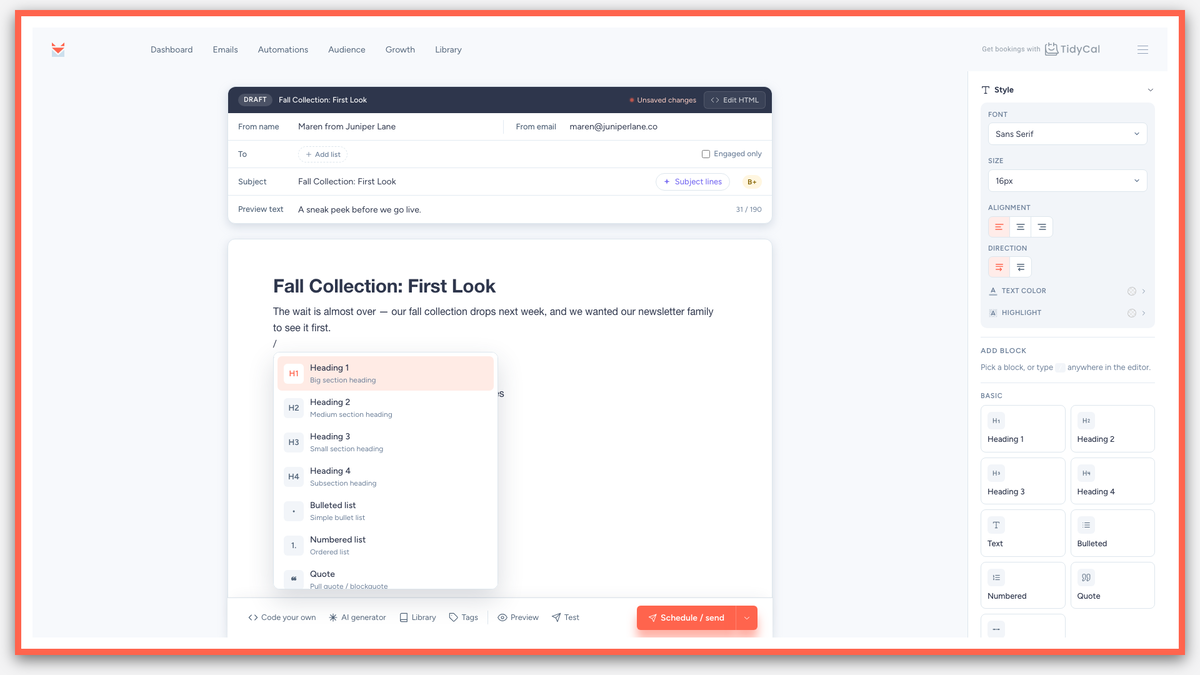
SendFox’s emails are text-first and clean. That is good news if your regular dispatch looks more like a useful note from a real person than a catalog from a department store. The editor stays fairly straightforward, and an RSS connection can turn new blog posts into formatted, scheduled emails without asking you to rebuild the same campaign every week.
What ran smoothly
- One-time pricing instead of another monthly subscription
- No penalty simply for growing your subscriber list
- Clean, text-first emails that are easy to read
- RSS support for automatically formatting and scheduling new posts
- Useful forms, landing pages, lists, and basic automations
Where the gears grind
The visual editor is intentionally rigid and minimalist. If you want a graphic-heavy, magazine-style newsletter with elaborate layouts, SendFox may feel like being handed a plain workbench when you wanted a theatrical stage.
That is not a defect if you want simple newsletters. It is a real limitation if visual design is part of your brand.
Bench verdict: SendFox is the practical email tool for people who want to stay in touch consistently, keep costs predictable, and avoid turning newsletter design into a second occupation.
Aisle 4: TidyCal, the booking ledger that does not make clients sweat
Rating: 4.5/5
Department: Appointment booking
Best for: Coaches, consultants, repair shops, photographers, tutors, and any solo operator who books time with people
TidyCal solves a wonderfully unglamorous problem: letting people choose an appointment without a twelve-email game of calendar tennis.
Its booking pages are simple, fast, and clear. Clients can see available times, choose a slot, and receive the right details without wandering through a maze of buttons. Google Calendar, Outlook, and Apple iCal connections keep the appointment ledger in step, while timezone conversions help prevent the classic “I thought we meant 2 p.m.” mishap.
The one-time fee can pay for itself quickly if it replaces a recurring scheduling subscription. It also supports optional Stripe checkout and custom booking forms, which means you can collect payment or ask useful questions before the meeting begins.

What ran smoothly
- Quick setup and fast-loading booking pages
- Reliable calendar connections
- Accurate timezone handling
- Optional Stripe payment collection
- Custom booking forms for gathering client details
- A one-time fee that can beat months of subscription payments
Where the gears grind
TidyCal looks intentionally plain. There are not many decorative dials to turn, so businesses wanting a fully branded, highly customized booking experience may find the styling a little spare.
Its round-robin scheduling is also basic. A small team can use it, but a larger operation with complex routing rules will eventually need a heavier machine.
Bench verdict: TidyCal is the reliable option for solo operators and small teams that need bookings to work without making clients learn a new piece of machinery.
Aisle 2: VocalLab, the audio rescue bench
Rating: 4.1/5
Department: Acoustic and vocal press
Best for: Podcasters, video creators, musicians, course makers, and anyone trying to rescue imperfect recordings
VocalLab is the specialist tool on this list. It can lift vocals out of noisy audio and separate a track into vocals, instrumental, bass, and drums. That makes it useful when a recording is almost good enough, but not quite clean enough to publish.
This is the kind of tool that earns its keep by rescuing work you would otherwise scrap. A podcast recorded beside a humming fan, a rehearsal where the lead vocal is buried, or an old audio file with too much background clutter may become workable again.
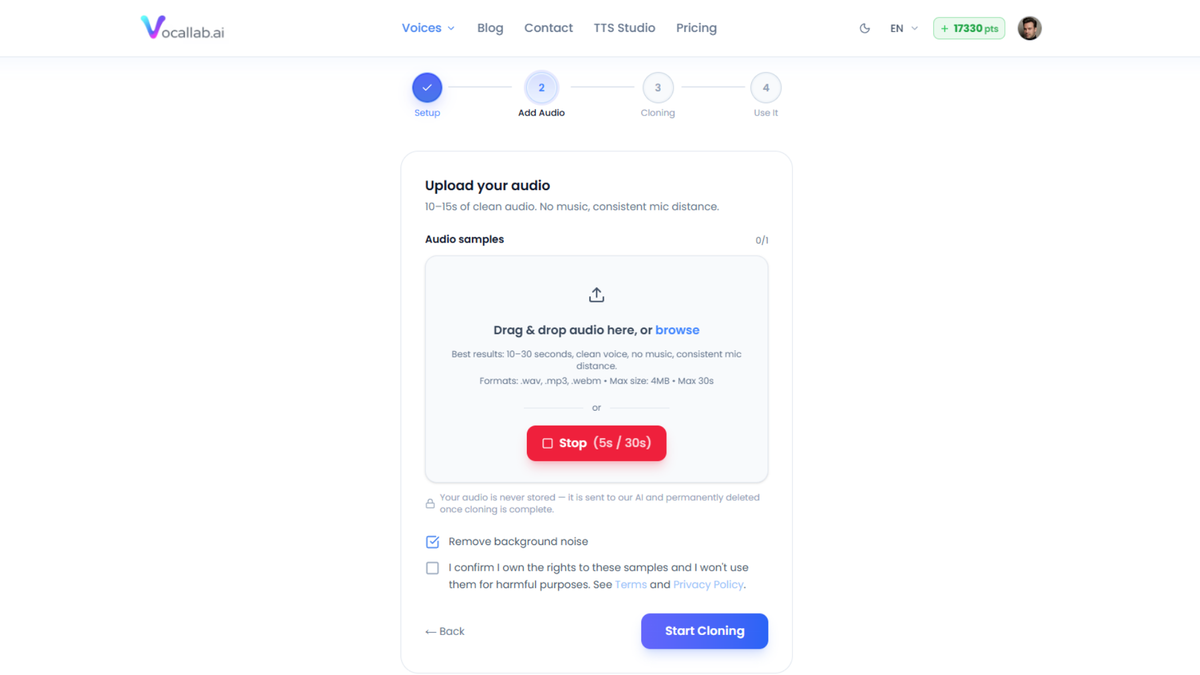
It is also built for voice generation and voice cloning, with browser-based exports for audio and captions. The exact minutes, points, voice slots, and other allowances depend on the tier, so inspect the live listing before choosing a plan.
What ran smoothly
- Clean vocal extraction from noisy recordings
- Separation of vocals, instrumental, bass, and drums
- Fast enough for regular editing work
- Voice cloning and voice generation in the same general workspace
- A practical way to save recordings that would otherwise hit the bin
Where the gears grind
Heavily compressed MP3 files can produce a slightly metallic edge on the extracted vocal. The result may be perfectly useful for a social clip or rough edit, but professional audio work still deserves a careful listen before you publish.
Bench verdict: VocalLab is the audio mechanic’s rescue wrench. It will not repair every damaged recording, but it can save enough good material to justify keeping it nearby.
The two I’d hold off on
Aisle 3: Airbrush AI, the simple spray booth with a credit meter to watch
Rating: 4.3/5
Airbrush AI is not a broken machine. On our bench, it landed as a dependable, budget-friendly image tool that is far easier to operate than more advanced art generators.
Its biggest buyer-beware issue is still the credit model. You receive a monthly allowance of image credits, and unused credits do not roll over. A quiet month therefore becomes a month when part of your purchase quietly expires. That is an awkward fit for a small business owner whose image needs come in bursts: three product photos one week, none the next.
In actual use, the main quality limits are more specific than alarming. Complex prompts involving hands and fingers can produce occasional anatomical oddities, and the artistic ceiling is lower than what you can squeeze out of heavier image machines like Midjourney. The trade-off is that Airbrush is much simpler to learn and much less fussy to operate.

Bench verdict: Hold off unless the monthly credit rhythm fits how you actually work. If you want a simpler image tool and can live with the credit meter, it is a solid budget-friendly option rather than a scrap-pile case.
Aisle 3: Reelify AI, fast reel cutter with a few checks before checkout
Rating: 4.4/5
Reelify AI deserves more credit than a caution label alone would suggest. On our bench, it proved impressively fast at turning a long script into a finished vertical reel in minutes, with automated subtitle timing that removes a lot of fiddly timeline work.
The caution here is not that the machine is weak. It is that buyers should inspect the fit before purchase. If you have any platform or system requirements in your workflow, check the current listing carefully instead of assuming it will match your setup.
Its real drawbacks are more practical than dramatic. The B-roll can be a little predictable, so some projects benefit from manually swapping clips for better variety. Render queues can also stretch out under heavier load, which is annoying if you are trying to crank out content in a hurry.
Bench verdict: Hold off unless you have checked the current setup requirements and tested the output on your own footage. For the right workflow, this is a strong reel-making tool, not a machine we would toss in the heap.
Before you buy any lifetime deal
Run the math on the subscription the tool would replace. A one-time fee in the tens of dollars can be sensible if you will use the product for a year or more. It is not a bargain if the tool sits untouched in your software drawer.
Check which tier you actually need. More seats, more contacts, more minutes, or more credits can push the price upward quickly.
Read the current AppSumo listing. Tiers and prices shift, and old reviews may describe a deal that no longer exists.
Use the refund window to test real output. Send a newsletter. Book an appointment. Process your worst audio file. Run a long video through the editor. A demo is a showroom floor; your own files are the inspection bench.
Finally, remember that “lifetime” means the life of the product, not your life. A small vendor can fold, change direction, or move features into a separate paid product. Lifetime deals work best for tools you would be comfortable using largely as-is today.
Plain-English verdict
- SendFox: Right for newsletter writers and small businesses that want affordable, clean email without a bill that grows with their list.
- TidyCal: Right for anyone who books calls, appointments, lessons, consultations, or paid sessions and wants the simplest reliable setup.
- VocalLab: Right for creators who need voice tools or audio cleanup and are happy to inspect the final sound before publishing.
- Airbrush AI: Hold off unless your image work is steady enough to use the credits well and the current output passes your own tests.
- Reelify AI: Hold off unless you have checked the current setup requirements and confirmed the workflow fits your footage and publishing pace.
Three tools earned a spot. Two need a closer look before checkout. That is the whole point of an inspection: fewer shiny machines, more equipment that actually helps you finish the job.
Browse the ClankerCart storefront for more plain-English tool reviews and bench tests.
Written by Penny